Meet Aimée — the agent that builds your product ads and keeps them running
Most AI assistants tell you what to click. Aimée isn’t a chatbot: she sees what you see and edits the real thing — your actual catalogs, rules, templates, and channels.
Aimée
Set up my store — pinecrafthome.com
On it — reading your store and connecting your product feed.
Built your setup
Imported 1,208 products, titles cleaned
Drafted your ad copy
Designed image and video templates from your products
Your first ads are drafted — from your own products. Want to review them? Drop in a screenshot or your brand book and I’ll match your look.
She builds your whole setup from a web address
Give Aimée your store’s web address. She finds your product feed, connects it, cleans up the data, and sets up your catalog — mapping, rules, and import schedule included. On platforms without an accessible feed, she walks you through exporting one.
She doesn’t stop at a clean catalog. She drafts your first ads — copy, image, and video templates, built from your own products — so the payoff of pasting a URL is finished ads, not just organized data. You review before anything goes live.
An import takes minutes, not seconds, and Aimée waits it out instead of handing you a spinner. She comes back with the real numbers — products imported, warnings raised, the handful that need a human decision — and if you closed the tab, she picks the thread up when you return. What she doesn’t do while you’re away is publish: the fixes she drafted are still drafts.
pinecrafthome.com · 1,208 products
2 rules drafted
copy · image · video template
Nothing is live yet — review and publish when you’re ready.
Aimée
Feed connected — the import is running. It takes a few minutes. Close this if you like; I’ll pick it up where we left off when you’re back.
1,208 products imported
34 duplicate product IDs — one rule fixes them all. Drafted.
3 products have no price in the feed at all. That one’s your call.
Want to look at those three now?
Aimée designs your ads, not just your feed
You don’t need a designer to get ads that look designed. Tell Aimée the look you want — she builds the templates, binds your product data and review quotes into it, and renders image and video ads for every product in your catalog.
Already have an art director? Their template and brand rules become the guardrails Aimée renders inside — so catalog scale never costs you control.
Aimée
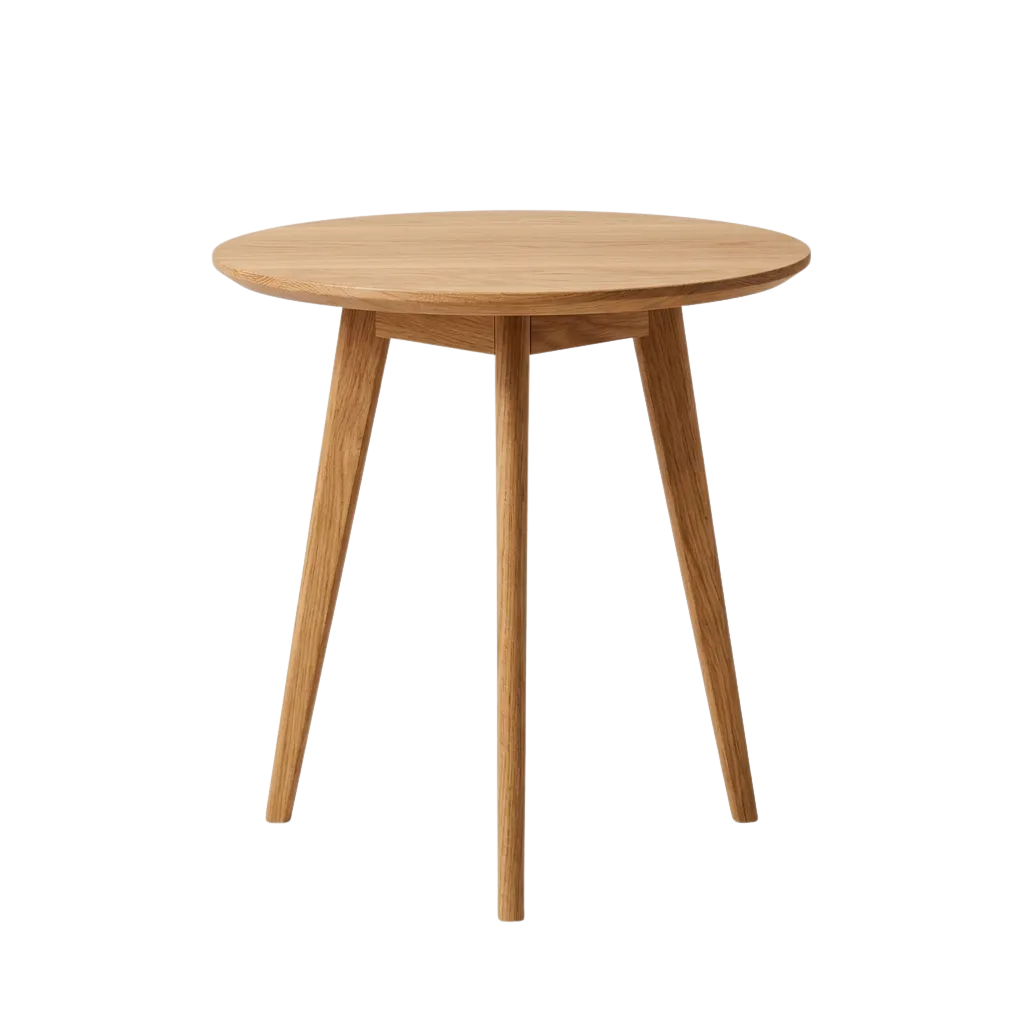
Design an ad template for my oak furniture — warm and minimal, with the review stars and price on it.
Built a template
Warm cream background to suit the oak
Added your 5-star rating and review count
Bound the price badge to each product
Saved as a draft — it renders for all 1,208 products, in every size. Nothing publishes until you approve it.
Bring home the Aspen Side Table — Solid Oak
Timeline
0:00 / 0:06Preview
Store
Product
Binding · Headline
Properties · Headline
Simplified view of the Studio template editor, for illustration.
Start free — give Aimée your store’s URL
She builds the catalog and drafts your first ads from your own products. You approve before anything goes live.
One conversation, everywhere you work
Ask Aimée to build a template, then wire it into a channel — she carries the context from one job to the next, so you never re-explain what you’re working on.
It’s the same Aimée in every part of the app: the Studio editor, your channels, your catalogs, your product sets. One conversation, wherever the work is.
Save 20% on Product name
Square 1080×1080Studio templates
Channels
Catalogs
Product sets
Lead with Brand then Material
Prompts
Set up my store
On it — no wizard.
Onboarding
She diagnoses — she doesn’t guess
“Why is this product missing from my feed?” is the question every feed platform gets asked most. Aimée answers it with evidence: she traces product-set membership, rules, and field resolution, and shows you exactly where the product dropped out.
She reads the real run logs, too — actual imports, actual warnings, actual counts — so her answers describe your pipeline, not a plausible version of it.
Aimée
Why is the Aspen Side Table missing from my Meta feed?
I traced it: the product is in your “All products” set, but your “in stock only” rule excludes it — stock read 0 in last night’s import. It returns to the feed as soon as stock does.
Rules
Clean promo titlesapplied
title: “aspen side table SALE!!” → “Aspen Side Table — Solid Oak”
Exclude out-of-stockapplied
in stock: no → dropped from feed
Catalog output
Run log · last import
02:14 · import finished · 1,208 of 1,208 rows
stock lookup matched 1,196 of 1,208 · 12 read 0
“in stock only” rule excluded 12 products
Safe by construction
Structural changes — rules, templates, channels — land as drafts and only go live when you publish them. Content Aimée is confident in ships; the judgment calls she flags for you. Everything she and you do shares one versioned history you can roll back anytime.
Before any publish, she shows you its exact blast radius — which products change, and from what to what.
Aimée
The draft looks good — 1,208 products, all required fields filled. Publish “Meta · US” now?
2 unpublished edits, waiting on your go-ahead
Published · live1h ago
Yesterday
3 days ago
We have been building proprietary AI for e-commerce marketing since 2018 — with native review integrations for Trustpilot, Bazaarvoice, Yotpo, and TestFreaks.
The draft-and-publish, versioned controls Aimée works inside are the same ones retailers have trusted for years. Read how we handle your data on our trust & security page.
Aimée for your role
Same agent, different job. Here’s where Aimée fits what you’re on the hook for.
Grow the book, not the payroll.
Point Aimée at each client’s store and she builds the setup and drafts the ads — you supervise across the whole book instead of hand-working a few.
See what agencies earnIn-house, team of oneDo the work your boss sees.
The feed cleanup and the copy run themselves. You present finished results — without becoming the feed expert or waiting on design.
See it for your teamJust me and my storeMake your shop look like a real brand.
Give Aimée your store’s URL and get finished image and video ads that look professionally made — free to start, no card.
Start freeLet Aimée set up your first catalog
Start free and the onboarding conversation opens with one question: what’s your store’s web address? She takes it from there — and you approve before anything goes live.