GoogleOne feed, every Google surface — approved, enriched, and AI-ready
Renable catches invalid GTINs and promotional wording before Merchant Center ever sees them, and re-imports your data roughly every hour so prices and stock never go stale — then writes the titles, adds your reviews, and fills the fields Google’s AI surfaces read. All from the one feed you already export.
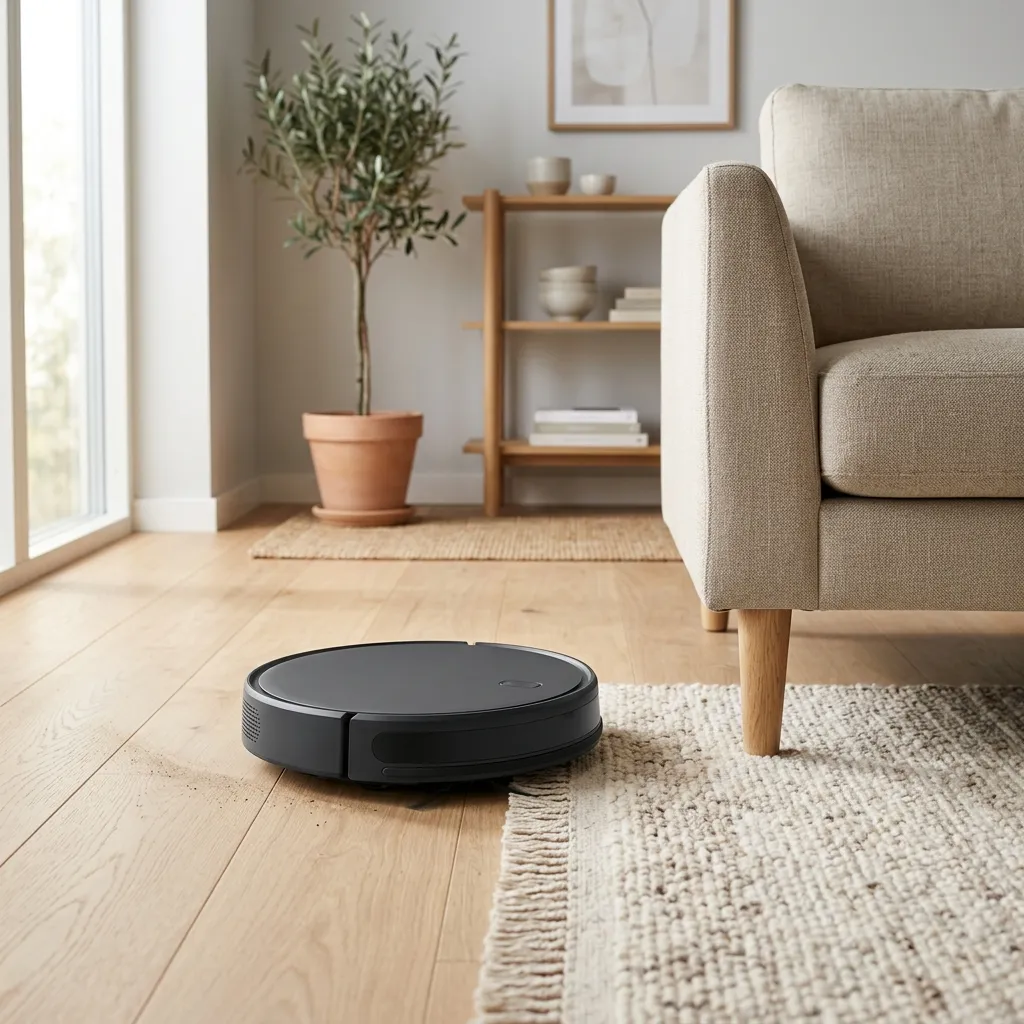 Passes Google’s spec$699
Sponsored · Copperleaf
Roborock QRevo Curv Robot Vacuum & Mop
Set it down and walk away — it empties and washes itself.
One enriched listing: clean data, a designed image, and a headline written from the product’s own attributes.
Approval starts in the feedThe disapprovals Google won’t email you about
You usually find out a product was disapproved when the sales dip — days after it dropped out of Shopping, and long after anyone could have caught it. Renable finds out first.
Every product is checked against Google’s required fields before the next Merchant Center fetch, and the classic disapproval causes are flagged where you can still fix them: invalid or missing GTINs, promotional wording in titles, a missing brand or MPN, an infographic where the product photo should be.
A missing GTIN gets fixed three ways — map a column you already have, set it with a rule, or look it up in a supplier feed. And your data is re-imported roughly every hour, so the price and stock Google reads are never a day out of date.
Checked against Google’s spec · before the next fetch
Every image, sortedYour best product shot isn’t your only image
Image #1 is usually a clean product shot. It’s everything after it that nobody has cataloged — lifestyle scenes, size charts, feature call-outs, award badges, all jumbled together. Send the wrong one as your product image and it’s a classic image disapproval.
Renable classifies every image — Product, Lifestyle, Information — and routes each to the right place: a clean product shot as the main image, lifestyle scenes into Google’s separate lifestyle-image field. Infographics like size charts are the ones that get products flagged, and one rule holds them out of the feed.
So the image Google judges is the one you’d have picked — sorted across the whole catalog, not product by product.
Trail Runner 300 · 3 catalog images
 Product
 Lifestyle
An infographic sent as a product image is a classic disapproval — one rule keeps it out.
What Renable puts in your Google Shopping feed
Improve the feed once and the improvement follows your products everywhere Google reads them — Shopping, and Performance Max across Search, Display, and YouTube.
A clean, mapped feed
Your reviews, in the creative
Copy written from your data
One feed, richer ads
Stop shipping the same bare card as everyone else
Almost every retailer sends Google the same product-on-white pack shot with a keyword-stuffed title. Renable ships an enriched listing instead — a designed image, a real review quote, a headline written from the product’s own data.
What most retailers send
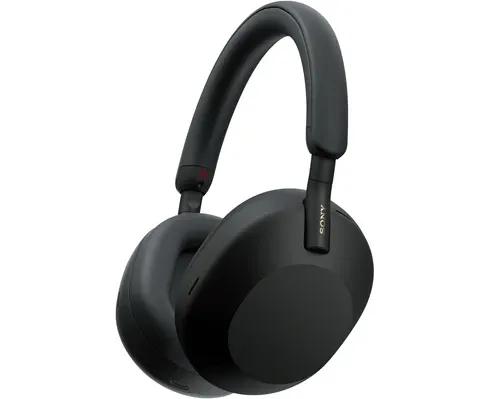
Sony WH-1000XM5 Wireless Headphones Black Over-Ear Bluetooth Noise Cancelling
$299
What Renable ships
 Save 15%Passes spec$299
Silence, engineered.
“The quiet is the whole point — and it delivers.”
One Merchant feed
enriched once, in Renable
Shopping + Performance Max
Search · Display · YouTube
Your Google feed is already an AI feed
Google’s Shopping Graph — the product data behind AI Overviews, AI Mode, and Gemini’s shopping answers — reads the same Merchant Center feed Renable already builds for you. On Google, AI-readiness isn’t a project. It’s a switch.
The catch is that most feeds have never contained these fields at all — a short title, product highlights, structured product details — so there’s simply nothing for Google’s AI surfaces to read. Renable writes them from each product’s own data, and fact-checks them against it.
Nobody can promise you a spot in an AI answer — Google decides that, and any tool that guarantees placement is selling something it can’t deliver. What Renable does is make your product data the strongest candidate it can be, in the exact fields Google reads.
The enterprise feed suites sell AI-readiness as a managed service. On Renable it ships in the Google feed you already export — and you can start free this afternoon.
Fields Google’s AI surfaces read
- g:short_title Written from your data
- Trail Runner 300 GTX M’s 42–47 blk/gryTrail Runner 300 waterproof trail shoe
- g:product_highlight Written from your data
- Waterproof membrane keeps feet dry down to freezing
- g:product_detail
- Terrain: wet rock, mud, hard-packed trail
- g:description
- Built for long runs in bad weather, with a membrane that keeps feet dry down to freezing…
Real Merchant Center fields — already in the feed you export. No new integration to build.
Your Google Merchant feed
highlights, details, description
Google’s Shopping Graph
Shopping & AI answers
Shopping · AI Overviews · AI Mode · Gemini
Readiness audit
Ask Aimée how AI-ready your catalog is
She checks your real products against the fields Google’s AI surfaces read and comes back with the gaps and the counts — which products have no highlights, no structured details, no answers to the questions buyers actually ask. Then she can write them from each product’s own data and draft them for your approval.
It still isn’t a promise of placement — nobody can sell you that. It’s the part you control: a feed with something in it for Google to read.
Aimée
How AI-ready is our catalog?
I checked your 50 best sellers against the fields Google’s AI surfaces read. Here’s where the gaps are.
Readiness audit · top 50 products
14 have no product highlights
31 have no answers to common buyer questions
22 have no structured product details
50 have a short title
I can write all of it from each product’s own data and fact-check it against the product. It lands as a draft — nothing publishes until you approve it.
Keep the feed you like — no rip-and-replace
Why does Google keep disapproving my products?
Usually the answer is buried in the feed — a missing identifier, a word Google reads as promotional, a price that no longer matches. Renable’s run logs drill down to the exact products, and “trace a product” shows why each field came out the way it did. Or you just ask Aimée.
The usual disapproval causes — caught in the feed
Fixed from a mapped column, a rule, or a supplier-feed lookup before the next fetch.
“Sale”, “free shipping”, all-caps — stripped by the same rules engine that builds the title.
The feed is kept fresh roughly every hour, so what Google reads matches your site.
Filled from your data or a lookup, so the product stays eligible.
Aimée
Why did Google disapprove the Trail Runner 300?
It was rejected as “Incorrect product identifier” — the GTIN in your feed doesn’t validate. Your supplier feed has the correct one.
Traced · gtin
Feed value 0730918… — fails checksum
feed.ean 7318690079538 — valid
I can map the GTIN from the supplier feed for every product with this problem — 214 of them. I’ll draft it for your approval; nothing publishes until you say so.
That’s the split Renable holds everywhere: the content Aimée is confident in flows on its own, and she flags the judgment calls — but a structural change like a new GTIN mapping stays a draft until a human publishes it.
SetupFrom a store URL to a live Google feed, in hours
Give Aimée your store’s web address and she does the setup: fetches the site, works out which platform it runs on, finds the product feed, imports it, maps it to Google’s spec, and builds the Merchant channel — drafted first, published only when you say so. Live ads in hours, not days.
There’s nothing to install — no plugin for your store. If your platform doesn’t expose a feed she can read, she tells you which export to run and walks you through it, then picks up from there.
Renable hosts the finished feed at a stable URL. You paste it into Merchant Center once, and from then on your hourly updates flow through on their own — no re-upload, no push to wire.
Aimée
Get sportgear.com running on Google Shopping.
Reading your store now — it’s on Shopify, so I can pull the product feed straight from it. I’ll import it, map it to Google’s spec, and build a Merchant channel. Everything lands as a draft first.
Built a Google Merchant channel · 48,113 products
Publish, and I’ll hand you the feed URL to paste into Merchant Center.
Renable builds the feed and the creative. Google runs the campaigns.
Budgets, bidding, and targeting stay in Google Ads, where they belong. What Renable controls is that Google gets the best possible version of every product — clean, enriched, and approved.
“Les performances des campagnes de Renable ont dépassé nos attentes, avec une configuration simple, des données exploitables et pertinentes, et un rapport qualité-prix exceptionnel pour nos investissements axés sur la donnée marketing.”
Coming from another feed tool?
See how a switch works — and how Renable compares. Importing your existing setup, so you don’t rebuild it by hand, is in early access and rolling out now.
Frequently asked questions
Why does Google keep disapproving my products?
How does Renable fix invalid or missing GTINs?
Why did Google disapprove my product images?
Can I keep my existing Merchant Center feed?
Does Renable manage my Google Ads budget or bids?
Is my product feed ready for Google’s AI surfaces?
What does it cost?
Get every product approved — and ready for every Google surface
Connect your feed and watch the disapprovals get caught before Google sees them. Free for your first 100 items — no card, everything included.